Never post from the wrong account again.
CapsuleBox is a desktop app workspace for solo social media managers. Each client runs in its own isolated capsule — so sessions never mix, identities stay clean, and costly mistakes don’t happen.
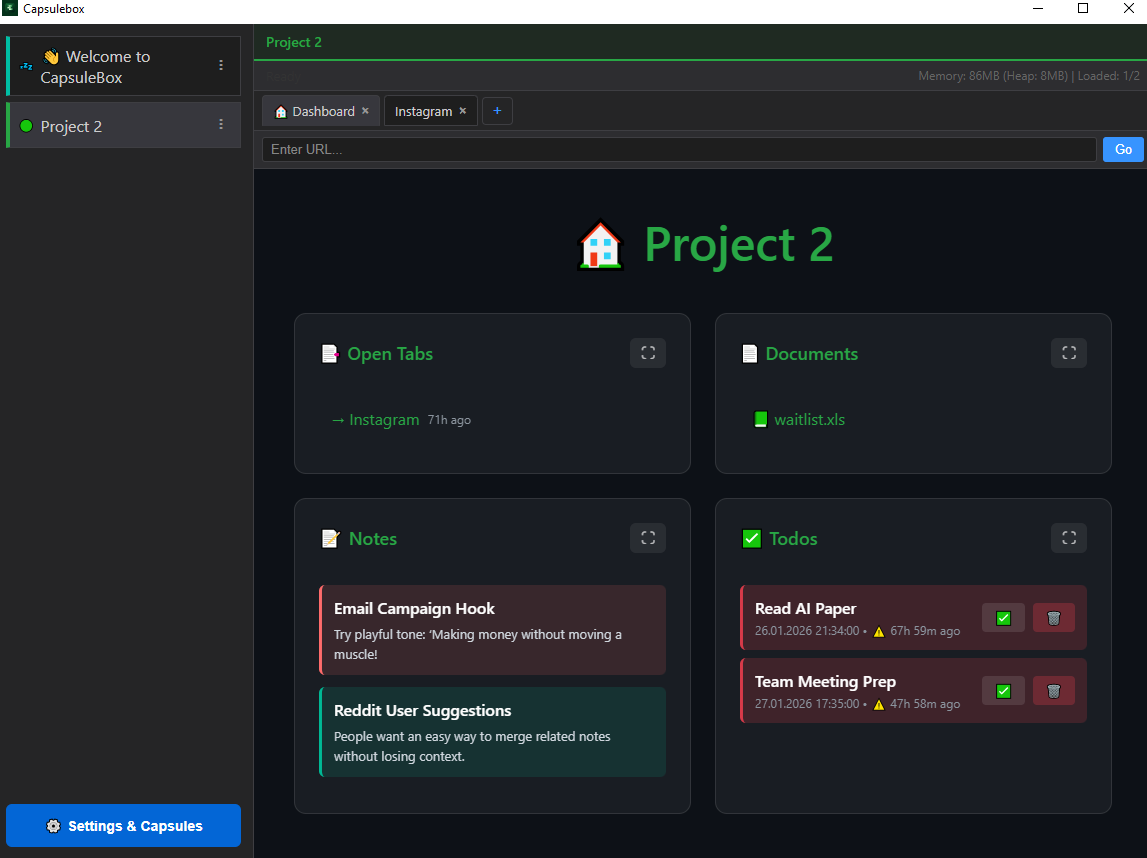
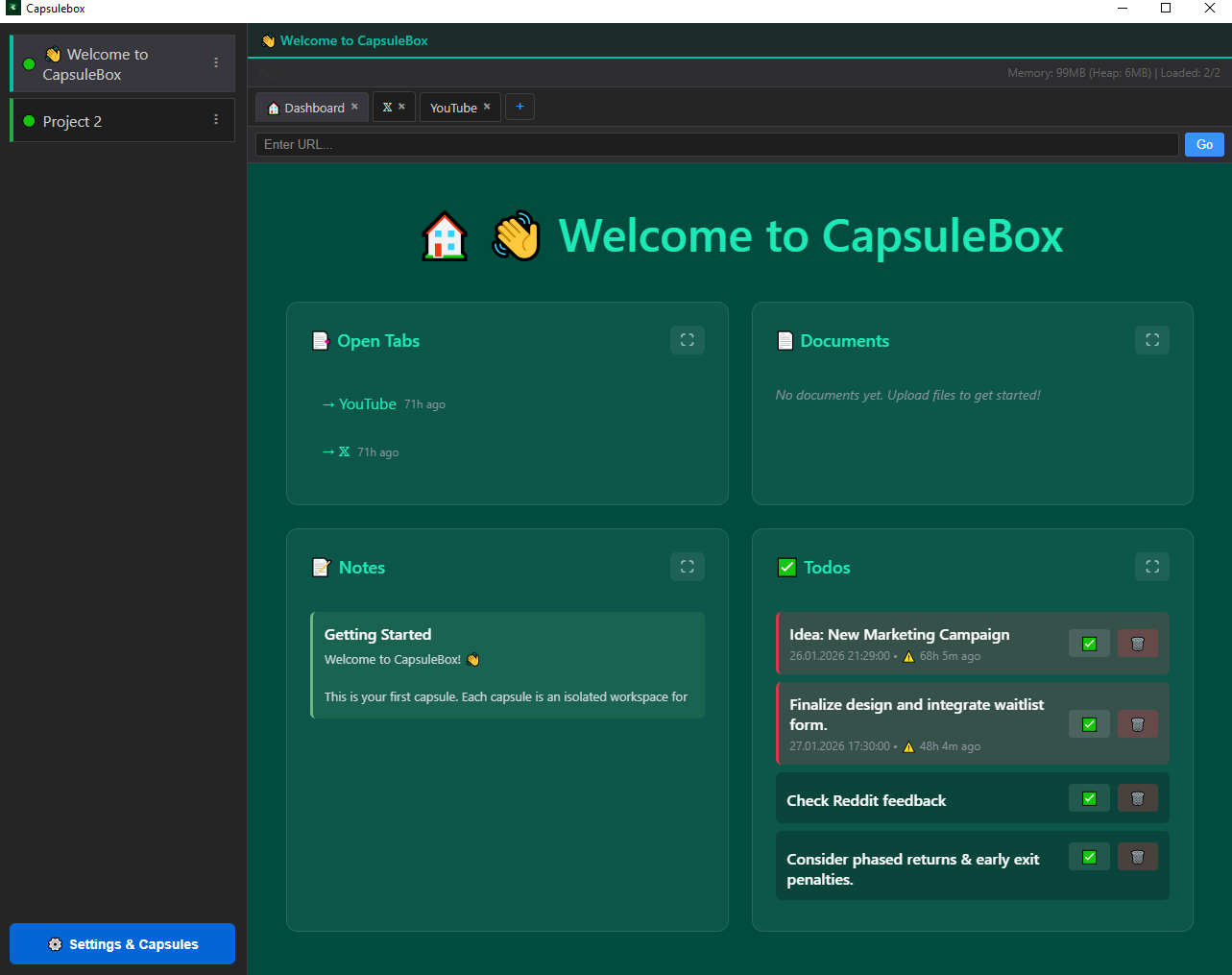
This is a simulated preview of the desktop app. No real sessions. UI-only preview.
This is a simulated preview of the desktop app. No real sessions.
💡 Free tier: Try 2 capsules before purchasing (no credit card required)
- Prevent wrong-account posts and replies.
- Reduce mental load while managing multiple brands.
- Run everything from one place—without mixing sessions.
operational safety when managing multiple brands.
✓ Manual approval required • Professional use only • Windows 10/11
CapsuleBox is not an anti-detect browser and not an automation tool. It’s a manual, ethical workspace for managing multiple projects safely.
- One capsule = one identity
- Sessions never mix
- Context is always visible
What you get
Boxes for clients
Each client/brand has its own isolated environment.
Fast switching
Jump between clients without re-login chaos.
Less risk
Designed to prevent mixing accounts and identities.
Why not browser profiles or anti-detect tools?
Browser profiles
Same window, same UI. Profiles separate data — not your attention.
Anti-detect tools
Built for evasion. Risky, overkill, and often against platform terms.
CapsuleBox
One capsule = one client. Separate context, zero ambiguity.
Why CapsuleBox exists
A single wrong post can cost a client. CapsuleBox reduces that risk by keeping every client in a separate box. This isn’t “productivity fluff”—it’s operational safety.
Principles
- Human-driven: manual use only.
- No automation, no “botting”, no anti-detect positioning.
- Separation first: avoid account mix-ups.
- Simple: focused on real daily work.
Ideal for
- Solo social media managers
- Freelancers managing multiple client accounts
- Founders/operators running multiple brands/projects
Team workflows may come later. For now, CapsuleBox is built to be the one tool an individual relies on daily.
What “isolated” actually means
Each capsule runs as a separate Chromium profile with isolated:
- Cookies & sessions
- Local storage & cache
- Login states & identities
No fingerprint spoofing. No OS-level virtualization. Just clean, transparent session separation.
Pricing
CapsuleBox is a professional desktop tool for serious multi-brand management. Access is granted manually to ensure ethical and compliant use.
Beta License
For early adopters. Fully functional, actively improving.
- Manual approval required
- Unlimited capsules
- All v1 updates included
- Priority support
⏱️ Approved requests receive download access within 24 hours.
Email us with your use case. Payment details sent within 24h after approval.
Standard License
Planned stable release price.
- Stable v1 release
- Unlimited capsules
- All v1 updates
- Commercial license
Beta pricing ($199) remains available during development.
Free tier available: Try CapsuleBox with up to 2 capsules before purchasing. Email us to request free tier access.
FAQ
Is this an anti-detect browser?
No. CapsuleBox is a workspace manager, not a fingerprint spoofing tool.
Is this automation?
No. CapsuleBox is designed for manual, human-driven workflows only.
What is a "capsule"?
A capsule is an isolated workspace for one client/brand. Sessions never mix.
Why manual approval?
To ensure professional and ethical use. CapsuleBox is for legitimate multi-brand management.
How do I get started?
Free tier available (2 capsules). Email us to request access.
What platforms does it support?
Windows 10/11 fully supported.
macOS builds available on request (same features, compiled on demand).
How many capsules can I create?
Free tier: 2 capsules. Licensed: unlimited.
System requirements?
Windows 10/11, 4GB RAM minimum, 500MB disk space. Chromium-based.
Where is data stored?
All data stored locally on your computer. No cloud sync, no external servers.
How to get access
CapsuleBox requires manual approval to ensure professional and compliant use. Payment is processed after approval via Payoneer or cryptocurrency.
- Step 1: Email contact@capsulebox.app with your use case
- Step 2: Receive approval + payment details (Payoneer or crypto wallet)
- Step 3: Complete payment and send confirmation
- Step 4: Receive download link + license key within 24 hours
Why manual approval? CapsuleBox is designed for legitimate multi-brand management. Manual review ensures the tool is used ethically and in compliance with platform terms.